A little touch screen that types for you.

Touch Deck is free firmware for a $15–25 touch-screen board. Plug it in over USB and it becomes a keyboard and mouse with three screens: an analog watch, a clipboard that types, and a jiggler that keeps your computer awake.

No drivers. No account. Open source under GPL-3.0. Apps for Windows and macOS.

Small annoyances deserve a small fix.

None of these will ruin your week. All of them add up. Touch Deck clears them off your desk.

  • “Paste is disabled for this session.”

    Remote desktops, virtual machines, KVM consoles and BIOS screens often refuse a paste. Touch Deck doesn’t paste. It types your text as real keystrokes, so it works anywhere a keyboard does.

  • Retyping that 40-character token. Again.

    Copy a command, a serial number or a long password once. It stays on the board until you clear it, so the next time is one tap.

  • The laptop went to sleep mid-render.

    Switch on the jiggler and your machine stays awake through long renders, downloads, backups and slide decks. The mouse drifts a few pixels and always stays near where it started.

  • Another gadget, another driver install.

    The board is a standard USB keyboard and mouse. Your computer already knows what to do with it, even when you can’t install software.

  • Closed hardware that only likes one OS.

    Touch Deck runs on boards sold by lots of shops, and every line of code is open. If you stop using it, the board is still yours to reuse.

Remote console: build-vm-02
build-vm-02 login: deploy
Password:
Last login: Fri Oct  2 22:14 from 10.0.4.1
deploy@build-vm-02:~$ 
Ctrl+V: paste is disabled for this session

The board types the line for you, one keystroke at a time. Tap Paste on the little board to run it again.

Plug it in. That’s the setup.

Over USB the board introduces itself as a keyboard and a mouse, the two devices every computer has supported for decades. There’s nothing to install for that part.

Keyboardtypes your clip Mousefor the jiggler Serialtalks to the app
  1. Get a board

    Pick one of three supported boards. They cost about as much as lunch and ship from the usual electronics shops.

  2. Install Touch Deck

    Open the app on Windows or Mac and plug in the board. It spots the factory firmware and offers Install Touch Deck. One click, no buttons to hold.

  3. Swipe and tap

    Swipe between the watch, the clipboard and the jiggler. Your settings are saved on the board and survive updates.

Three screens, one swipe apart.

These are the boards’ real screens, drawn by the firmware’s own code.

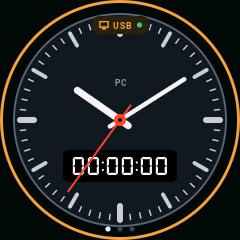
Watch

An analog watch that actually ticks.

The second hand lands exactly on the second, driven by a hardware timer. On the 1.69″ board a tiny speaker ticks along with it. One tap mutes the tick.

  • Press the BOOT button for a stopwatch, hold it to reset.
  • The app sets the time the moment you plug in.
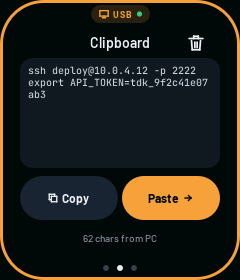
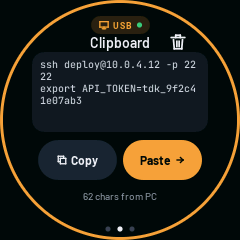
Clipboard

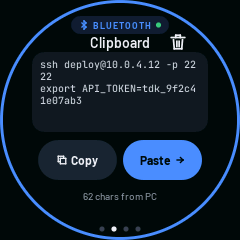
A clipboard that types.

Select text on your computer and tap Copy. Later, anywhere, tap Paste and the board types it out as keystrokes. It even allows for Caps Lock.

  • Works where paste is blocked: remote desktops, VMs, consoles, login prompts.
  • The clip lives on the board, not on your PC’s clipboard. The trash can wipes it.
  • Press Ctrl+Alt+C in any app to send your selection to the board.
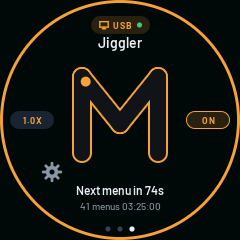
Jiggler

A jiggler with good handwriting.

Switch it on and a dot drives through letter-shaped lanes, O, W, M, Z and friends, while the mouse follows a few pixels at a time. Your computer stays awake for the long render, the big download or the slide deck.

  • The pointer always stays in the small area where it started.
  • Every minute or two it opens and closes a right-click menu, then picks a new letter. You can tune or turn that off.
  • Three sizes. Turn it on and off with a tap.

Bring your own board.

Touch Deck isn’t a gadget you have to buy from us. It’s firmware for popular boards you can order today, from whichever shop you like.

Waveshare RP2040-Touch-LCD-1.69

about $20–25 the full set
  • Screen1.69″ rectangle, 240×280
  • Connects byUSB keyboard and mouse
  • ScreensWatch, Clipboard, Jiggler
  • ExtrasSpeaker for the tick

The original. The only one with a ticking watch.

Waveshare RP2350-Touch-LCD-1.28

about $20–25 round
  • Screen1.28″ round, 240×240
  • Connects byUSB keyboard and mouse
  • ScreensWatch, Clipboard, Jiggler
  • ExtrasDraws about 10× faster

Round and quick. Its watch is silent; BOOT runs the stopwatch.

ESP32-2424S012C (ESP32-C3)

about $12–18 round
  • Screen1.28″ round, 240×240
  • Connects byBluetooth LE, or USB via the app
  • ScreensWatch, Clipboard, Jiggler, Settings
  • ExtrasTypes over Bluetooth

The budget pick. Pair it over Bluetooth with an on-screen code, or let the app type for it over USB.

Flash it from source with PlatformIO for now. A ready-made download follows once it has been through release testing.

Where to buy

Boards Touch Deck runs on, and where to buy them
BoardScreenConnects byFirmwareWhere to buy
Waveshare RP2040-Touch-LCD-1.691.69″ rectangleUSBReady-made Amazon
Waveshare RP2350-Touch-LCD-1.281.28″ roundUSBReady-made Amazon
ESP32-2424S012C (ESP32-C3)1.28″ roundBluetooth LE or USBFrom source (PlatformIO) Amazon

Prices are rough street prices at the time of writing and change by shop and region. Touch Deck isn’t affiliated with Waveshare or any board maker. The shop links are affiliate links: as an Amazon Associate, we earn from qualifying purchases, at no extra cost to you.

A companion app on your computer.

The board works on its own as a keyboard and mouse. The app adds the bits that need your computer: grabbing the selected text for Copy, setting the clock, and keeping the firmware up to date.

Windows 10 and 11

Touch Deck for Windows

  • A live copy of the board’s screen. Click it to tap, drag to swipe.
  • Installs Touch Deck on a new board with one click, and updates it later.
  • Connect several boards at once, each in its own tab.
  • Recent clips kept in memory only. Nothing written to disk.
  • Per-user installer: no admin rights, no .NET to install. Updates are signed and checked.
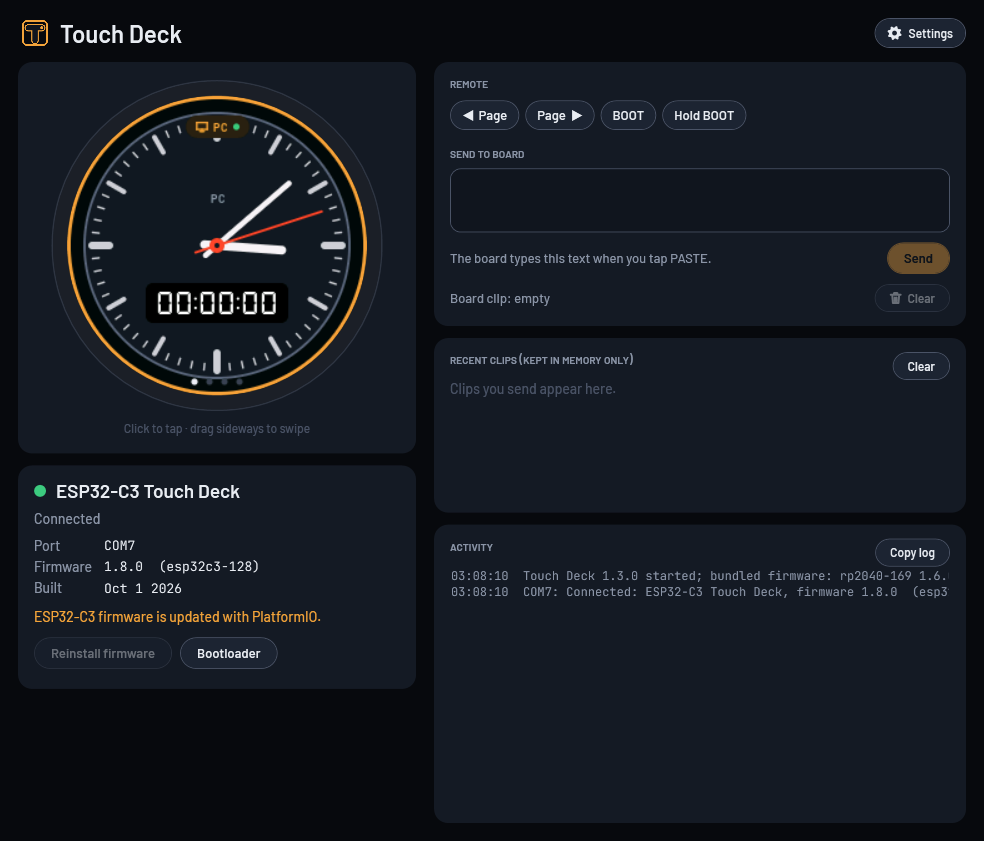
The Touch Deck Windows app with a live mirror of a round board's watch screen, remote controls, recent clips and the activity log.
The live mirror: the board’s own screen, drawn by its own firmware code. Click it to tap.
macOS 14 and later

Touch Deck for macOS

A menu bar app with the same features as the Windows one: the live mirror, Copy from any app, firmware installs and signed updates. It runs on Apple silicon and Intel Macs.

  • Lives in the menu bar, out of the Dock.
  • Finds a new board on its factory firmware and offers to install Touch Deck.
  • Copy reads your selection in any app once you allow Accessibility.
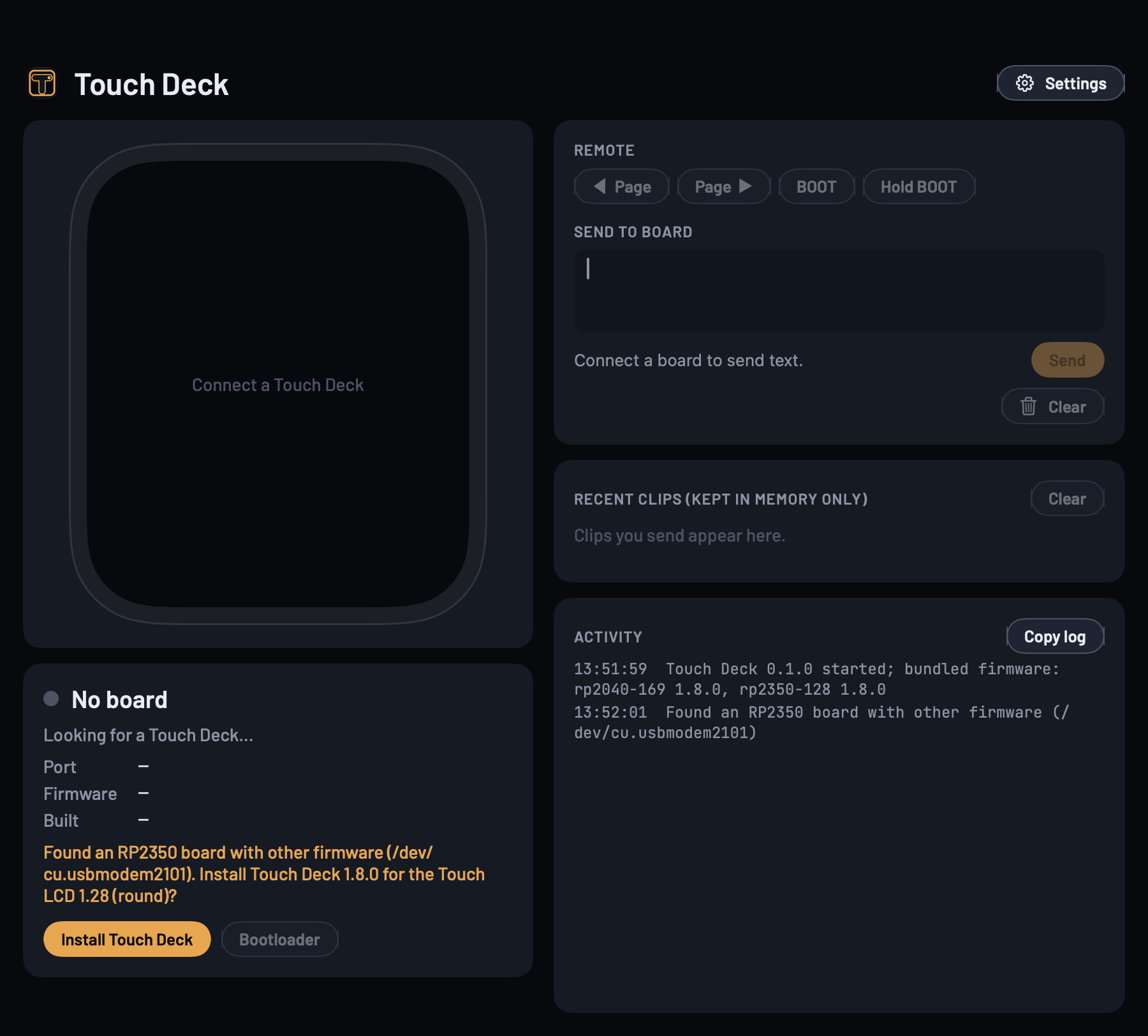
The Touch Deck Mac app has found a new RP2350 board on its factory firmware and offers an Install Touch Deck button.
One-click install on a new board: the Mac app spots a fresh RP2350 and offers Install Touch Deck.

Linux: the board works as a keyboard and mouse there too. There’s no app yet, so Copy needs Windows or macOS.

Your board. Your code.

Touch Deck is free software under the GPL. You can read it, change it, and put it on as many boards as you like.

  • No lock-inThe boards are general-purpose hardware. Flash something else on them tomorrow if you want to.
  • No cloud, no accountYour clip goes from your computer to the board over a USB cable. That’s the whole journey.
  • Every OS speaks USBA standard keyboard and mouse works on Windows, macOS, Linux and most things with a USB port.
  • Built in the openFirmware, apps and tools live in one public repo, tested on real hardware. Pull requests welcome.
How Touch Deck compares with a typical closed desk gadget
Typical desk gadgetTouch Deck
HardwareMade by one vendorOff-the-shelf boards, about $15–25
SoftwareClosed firmwareOpen source, GPL-3.0-or-later
SetupDrivers or a vendor appNone for keyboard and mouse
ComputersOften one OSAnything with USB; apps for Windows and macOS
If the maker disappearsSo do the updatesThe code is public. Build it yourself.

Get Touch Deck.

The apps include the firmware for the RP2040 and RP2350 boards and install it for you. The firmware files are there too, if you’d rather drop one onto the board yourself.

Questions

Do I need to install drivers?

No. The RP2040 and RP2350 boards show up as a standard USB keyboard and mouse, which every major operating system supports out of the box. The ESP32-C3 board pairs as a Bluetooth keyboard and mouse. The app is optional, and the Windows installer doesn’t need admin rights.

Will Paste work in my remote desktop or VM?

If the window accepts typing, yes. The board sends real keystrokes, so to the remote machine it looks like you typed it. It types with a US keyboard layout. On a computer set to a different layout, a few symbols may come out as different characters, and the app swaps accented letters for plain ones before sending.

Where does my clipboard text go?

From your computer to the board, over the cable, and nowhere else. The board doesn’t put it on your computer’s clipboard, and the app keeps its list of recent clips in memory only. There’s no cloud service and no account.

What is the jiggler for?

Keeping a computer awake while it works on something long: a render, a big download, a backup, a presentation. Please use it within your workplace’s rules.

Does it work on a Mac or Linux?

The board works on both as a keyboard and mouse, so Paste and the jiggler work anywhere. Filling the clipboard from your computer’s selection needs the app. The apps run on Windows 10 and 11 and on macOS 14 and later.

How much does it cost?

Touch Deck is free. You only buy the board, which is roughly $12–25 depending on the model and the shop.

How do updates work?

The app checks for new versions of itself and the firmware and offers them separately. Each update list is signed, and every download is checked against its fingerprint before anything runs. Settings on the board survive firmware updates.

Can I use it in my product, or change it?

Yes. You may use, change and share Touch Deck, and even sell boards with it. If you share it, share the source of your version under the same licence. The licence page explains it in plain words.

My board isn’t on the list. Can I add it?

Probably. The firmware is split into page drawing, touch, display and USB layers, and the round pages are already shared between two chips. Open an issue or a pull request.